When to Call in a Developer: An Honest Guide for Vibe Coders
A practical guide to recognising the moment your vibe-coded project needs professional help — before technical debt or security holes catch up with you.
Vibe coding is a genuine superpower. With the right prompts, non-technical founders can ship working software in days. But every superpower has its blind spots. The real skill is knowing when you are still in your zone of leverage and when you are burning time, risk, or future stability by going it alone.
Own this page’s intent: when a non-coder should hire or escalate to a human developer — security, data, fragile codebases, and liability thresholds. It is not about which features an engineer should hand to an AI agent (When to Delegate a Feature to an AI Agent). It is also not a vibe-coding-versus-pair-programming comparison (Vibe Coding vs Pair Programming).
This guide covers five signals that mean it is time to call a developer — and the signs that you are still fine on your own.
What vibe coding handles well
Vibe coding — using AI tools like Cursor, Claude Code, or ChatGPT to generate software from natural language — works well within a certain band of complexity.
| Type of work | Fits vibe coding? | Why |
|---|---|---|
| Landing pages and marketing sites | Yes | One-off pages with no complex state |
| Internal tools and dashboards | Usually | Small user base, forgiving failure modes |
| Prototypes and MVPs | Yes | Speed matters more than durability |
| Single-flow CRUD apps | Yes | Standard patterns the model has seen thousands of times |
| Authentication and payments | Risky | The model can write the code but cannot guarantee security |
| Real-time or multi-user sync | No | Edge cases compound faster than iteration can fix |
| Handling personal data | No | Compliance and liability are not vibe-coding problems |
The pattern is clear: the closer your project gets to real money, real users, or real personal data, the thinner the ice becomes.
Signal one: user data crosses your threshold
The moment your app stores anything personal — email addresses, payment details, or health information — you have moved from “fun project” to “accountable service”. Data protection law in the UK and EU (UK GDPR / EU GDPR) applies regardless of whether you or an AI wrote the code.
A professional developer can review the data flow end to end: where it is stored, how it is encrypted, who has access, and what happens when something goes wrong. The ICO’s guidance on AI and data protection is a good starting point for understanding the obligations that kick in the moment you collect an email address. You can prompt the AI to add encryption, but you cannot verify the result unless you can read the generated code. Appearance is not proof.
Signal two: every change breaks something else
You prompt the AI to add a feature, and it quietly breaks two things that were working yesterday. The model does not have a full picture of your codebase. It sees the file you asked it to change and maybe a few related files, but it does not know about the event listener in that other component or the CSS class another page depends on.
This is technical debt compounding. Each AI-generated change optimises for the local problem without considering the global system. Over enough iterations, the codebase becomes a pile of working-but-fragile parts that only the AI can untangle — and it will keep producing the same locally-optimal, globally-brittle solutions because it does not remember past sessions.
A developer introduces structure: tests that catch regressions, type systems that prevent mismatches, and architecture patterns that isolate changes so a button addition does not topple a dashboard.
A simple test for a vibe-coded login form:
describe("LoginForm", () => {
  it("shows an error when the email field is empty", async () => {
    render(<LoginForm />);
    await userEvent.click(screen.getByText("Submit"));
    expect(screen.getByText("Email is required")).toBeVisible();
  });
});
That test is a contract: “this behaviour must survive the next AI edit”. Without it, you cannot know whether a prompt that changed the layout also broke the validation.
Signal three: performance becomes a guessing game
Vibe-coded apps often run fine for one user and start creaking at ten. The AI generated the simplest working version — a database query that loads everything, a frontend that re-renders the whole page on every keystroke, images served unoptimised. These are the natural output of a tool optimised for “make it work” rather than “make it scale”.
A developer profiles your app using Chrome DevTools, database query analysers, and network inspectors to find the exact bottleneck. Then they fix that — not a random guess. Prompting “make this faster” shuffles things around, but without measurement data the AI is working blind.
Signal four: you need to integrate with a real API
Straightforward integrations — Stripe checkout, SendGrid email, Spotify widgets — are well within the AI’s range. But enterprise APIs, government data portals, legacy SOAP endpoints, or bespoke internal systems are another story. The model either hallucinates endpoints or produces code that looks right and fails silently.
When the documentation is sparse or the authentication flow is non-standard, a developer reads the spec, wires up the integration by hand, and handles the error cases the model did not know to ask about.
Signal five: the AI keeps rewriting everything
You ask for a small change — add a field to a form — and the AI regenerates the entire file, wiping out styles and introducing a new component structure. Each session produces a fresh architecture. Your codebase has no consistent identity.
A developer imposes a project structure that survives AI edits: component boundaries, shared utilities, a routing convention, and a style system. When the AI suggests a rewrite, the developer constrains it with a precise prompt:
Add a phone number field to src/components/CheckoutForm.tsx.

Rules:
- Use the existing InputField component like the other fields
- Insert it between the email and address fields
- Do not change layout, styling, or existing fields
- Show me only the diff, not the whole file
That prompt names the file, the component to reuse, the exact position, and the constraint to prevent a rewrite. It constrains the model rather than letting it guess.
The cost of waiting
| Signal | Call a developer now | Wait three more months |
|---|---|---|
| User data stored | Small refactor plus audit | Potential ICO fine, data breach |
| Fragile codebase | Introduce tests before it grows | Rewrite from scratch or abandon |
| Performance problems | Targeted fix (hours) | Architecture redesign (weeks) |
| Tricky API integration | Hand-roll in days | Accumulate half-working integrations |
| AI rewriting everything | Establish conventions (days) | No single pattern survives |
The earlier you call for help, the cheaper it is — in both money and lost momentum.
What to prepare before you call a developer
Make the handover smoother by preparing three things:
- A written overview — the same kind of brief you started with. Include the core flow, the tech stack, and any deployment URLs.
- A ranked list of your worries — the five signals above, ordered by how much they bother you.
- Access to your repository — the developer needs to read the code, not guess from screenshots.
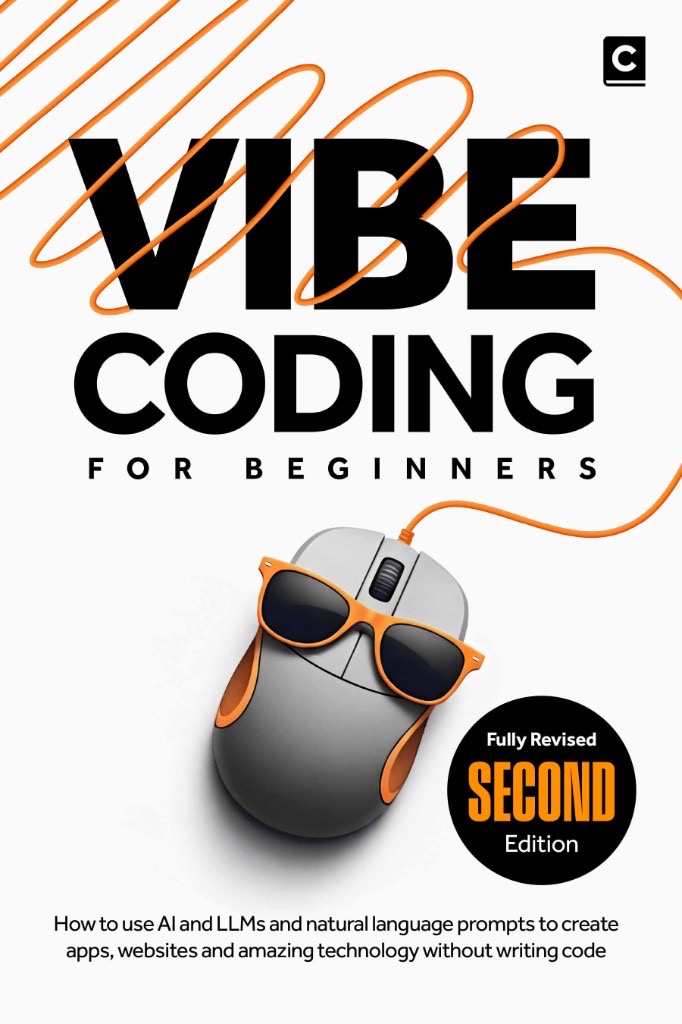
A developer who understands vibe coding will not judge the AI-written parts. They will see a codebase that needs structure, not replacement. For a deeper look at planning a project so it survives growth, Vibe Coding for Beginners covers the planning that makes later professional reviews smoother.
When you can keep going alone
If your app runs locally or for a handful of trusted users, stores no personal data, has no compliance obligations, and feels fast enough — keep vibe coding. The whole point is that AI tools let you build things previously out of reach. You do not need a developer until the cost of not having one exceeds the cost of hiring one.
The skill is recognising that threshold before you cross it. When two or three of these signals show up in the same week, it is probably time to make the call.
More insights
All ArticlesJavaScript for Vibe Coders: The Minimum You Need to Read What the AI Wrote
Learn just enough JavaScript to read AI-generated front-end code — variables, functions, DOM basics, and the red flags that mean you should ask again.
Read articleLearn Python with AI Without Skipping the Fundamentals
Use Copilot and chat to learn Python faster — without skipping syntax, debugging habits, or the fundamentals that make AI output trustworthy.
Read articleA 90-Day Roadmap for Rolling Out Agentic Coding on Your Team
Roll out agentic coding without the chaos — a phased plan that gives your team standards, governance, and a rollout pace they can actually sustain.
Read articleContext Windows, Memory, and Why Your AI Keeps "Forgetting" the Project
Discover why your AI loses track of your project mid-session and how context windows, memory files, and smart prompting keep conversations on track.
Read article